

Product
Cortex Code
Cortex Code is Snowflake’s AI-assisted CLI that
embeds intelligence into existing developer
workflows—helping developers write, run, and debug
with AI without leaving the terminal.
Details
- Role
- Lead product designer
- Team
- 1 Designer · 1 PM · 4 Engineers
- Scope
- CLI experience, AI interaction patterns, developer workflows
- Users
- Developers working across code, terminal, and AI tools
Problem
Core problem
AI capabilities existed—but were not integrated
into how developers actually work. Frequent context
switching between IDEs, terminals, and separate
AI tools created friction and slowed iteration.
Solution
Design for workflow-native AI
Embedding intelligence into the CLI
where developers already operate—
making AI behavior visible, keeping
developers in control, and connecting
prompting, execution, and feedback
into a single loop.
Result
Adoption + confidence
Reduced friction integrating AI into
daily workflows. Developers adopted
Cortex Code with more confidence—
faster iteration, more efficient
debugging, and less hesitation around
AI-assisted commands.
Context
Developers work within IDE-driven workflows—code editing in VS Code and similar tools, with terminal/CLI for execution. As AI capabilities expanded, the product needed to evolve from a standalone feature into an integrated part of how developers already work.
The system broke because…
- AI lived outside the workflow→developers context-switched constantly
- Opaque AI behavior→low trust in outputs
- Automation without control→developers hesitated to use AI
Strategy
Design for workflow-native intelligence.
Connecting prompting, execution, and feedback into a single loop.
-
Prompt
Natural language
-
Generate
Commands
Suggestions
-
Review
Edit
Validate
-
Execute
CLI
Output
-
Iterate
Debug
Refine
Decision 1
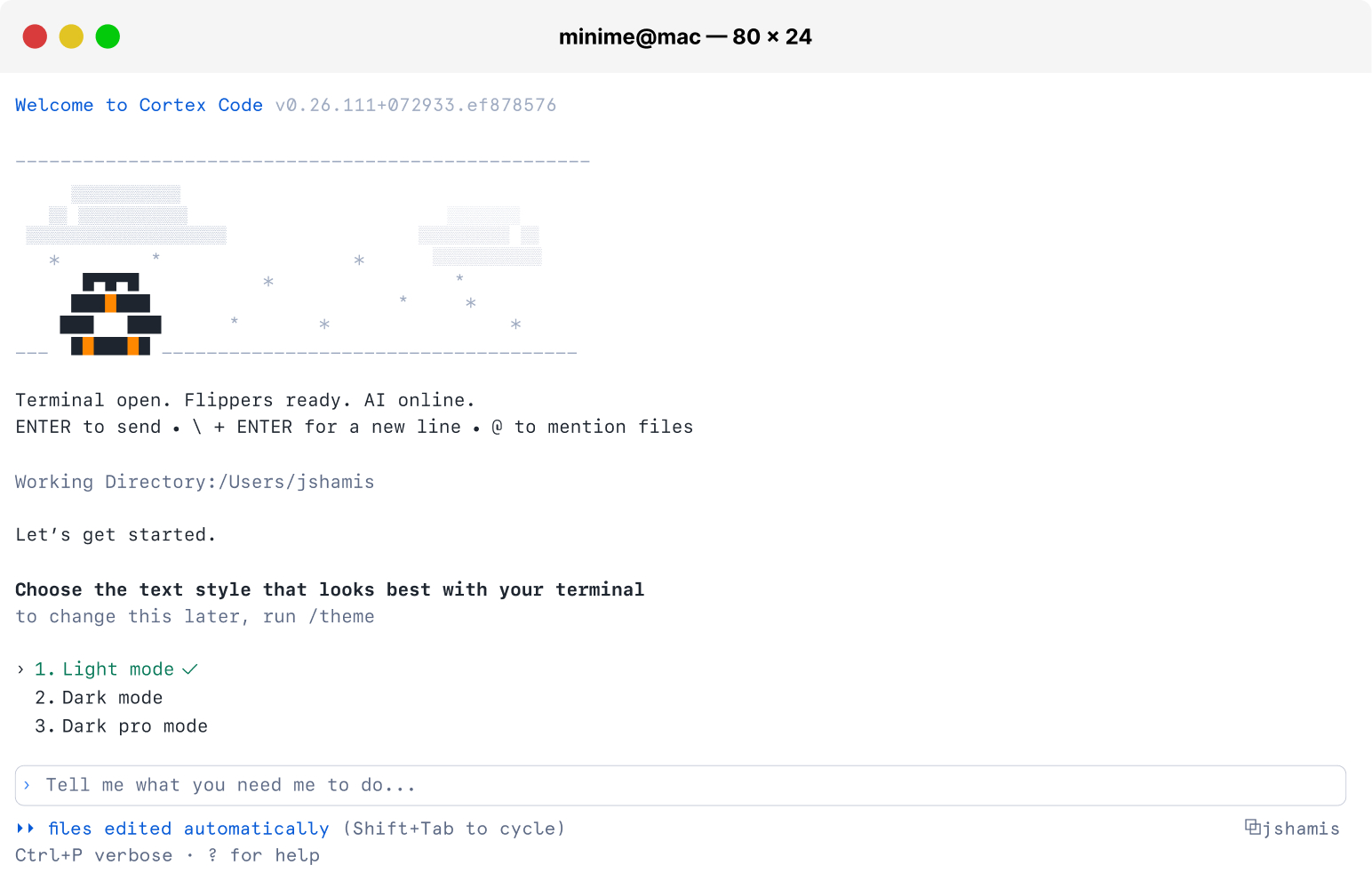
Bring AI into the CLI.
Insight
Developers don’t want to leave their workflow to use AI.
Tension
UI-based AI → discoverable, easier to guide vs. CLI-based AI → integrated into workflow, but more constrained in design.
Decision
Brought AI into the CLI instead of expanding the UI.
Trade-off
Reduced discoverability and guidance compared to a UI-based experience.
Decision 2
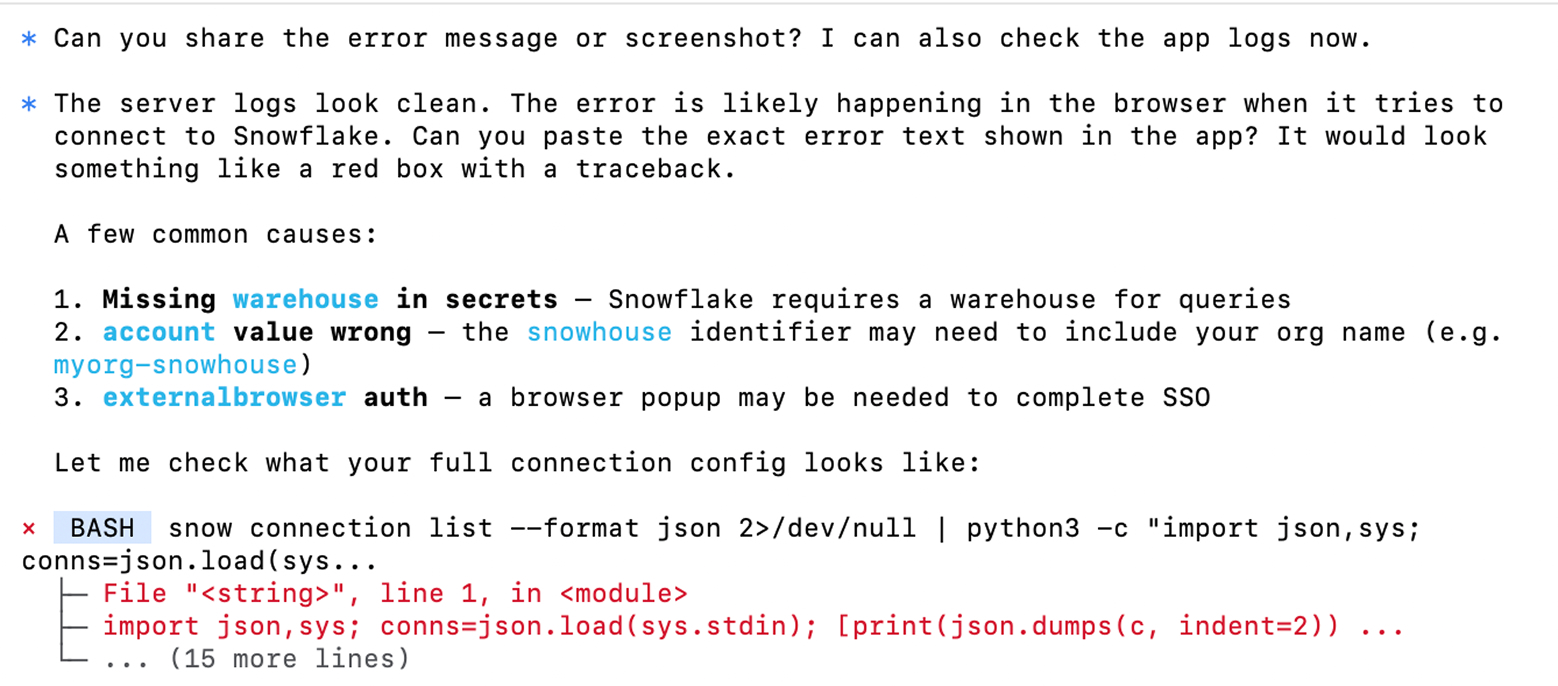
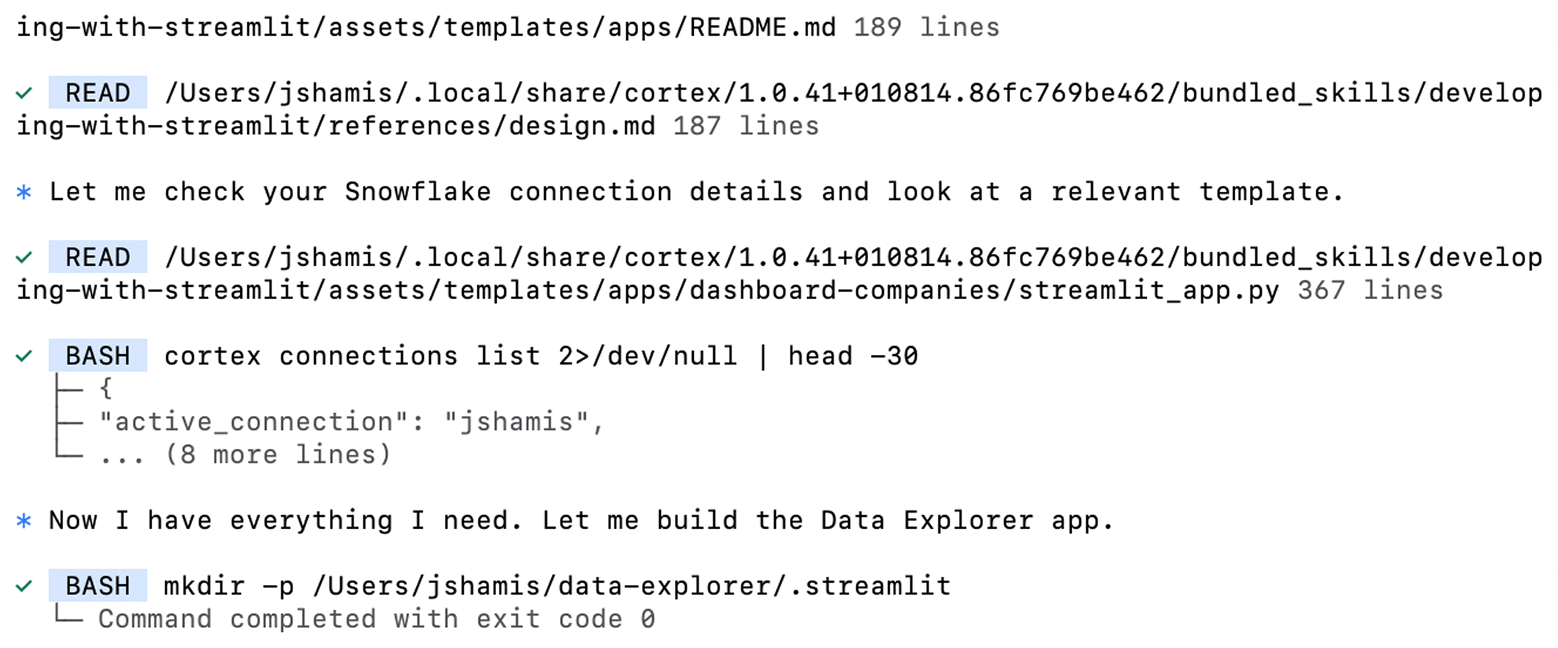
Make AI behavior visible to developers.
Insight
Developers need to understand what the AI is doing to trust it.
Tension
Abstract AI → simpler, but opaque vs. visible AI behavior → more trust, but more noise.
Decision
Made AI behavior visible—surfacing commands, reasoning, and outputs before execution.
Trade-off
Surfaced commands and outputs that required interpretation before acting.
Decision 3
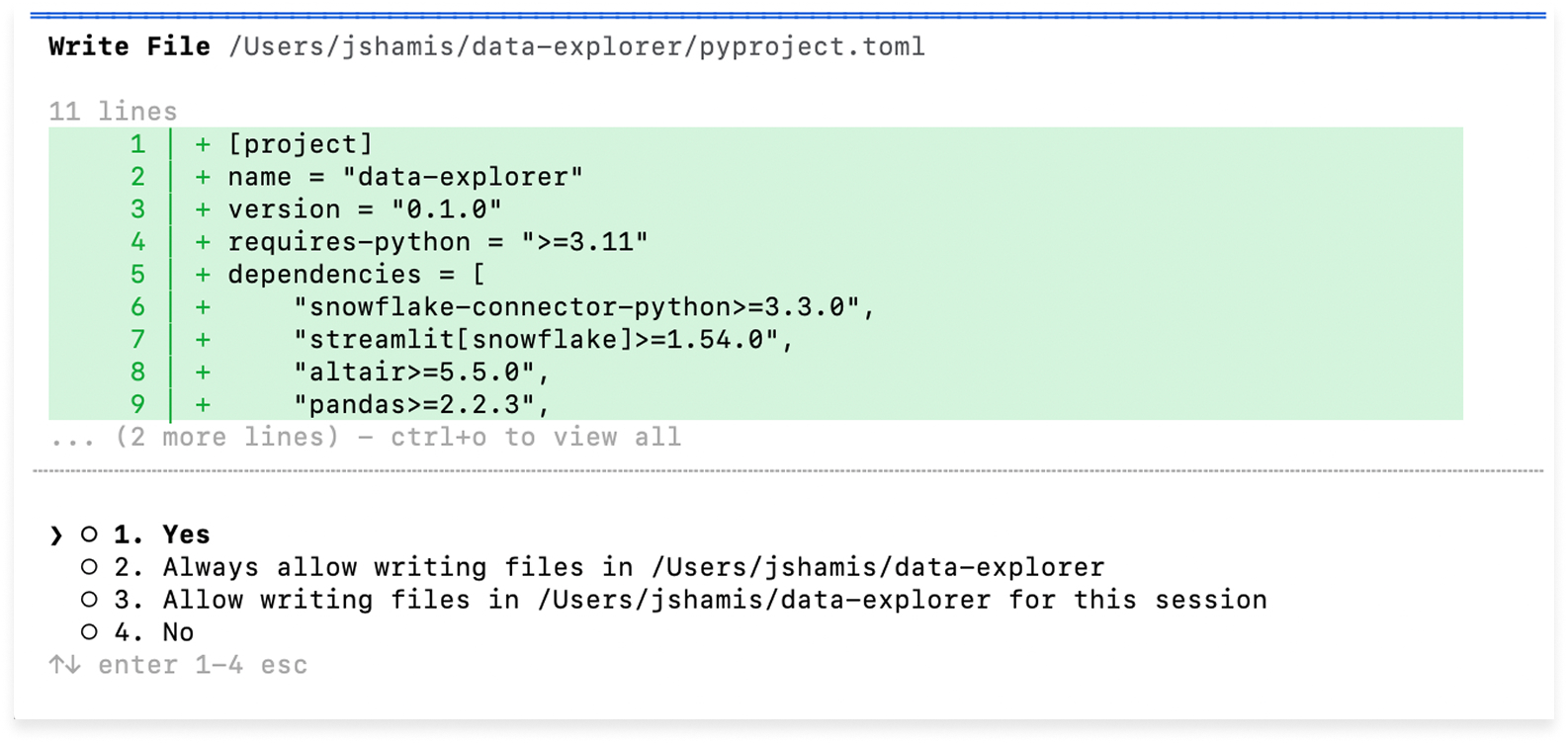
Keep developers in control of AI actions.
Insight
Developers want assistance—not automation.
Tension
Autonomous AI → fast, but risky vs. user-controlled AI → slower, but reliable.
Decision
Kept developers in control—requiring review and confirmation before AI actions execute.
Trade-off
Reduced speed in favor of control and safety.
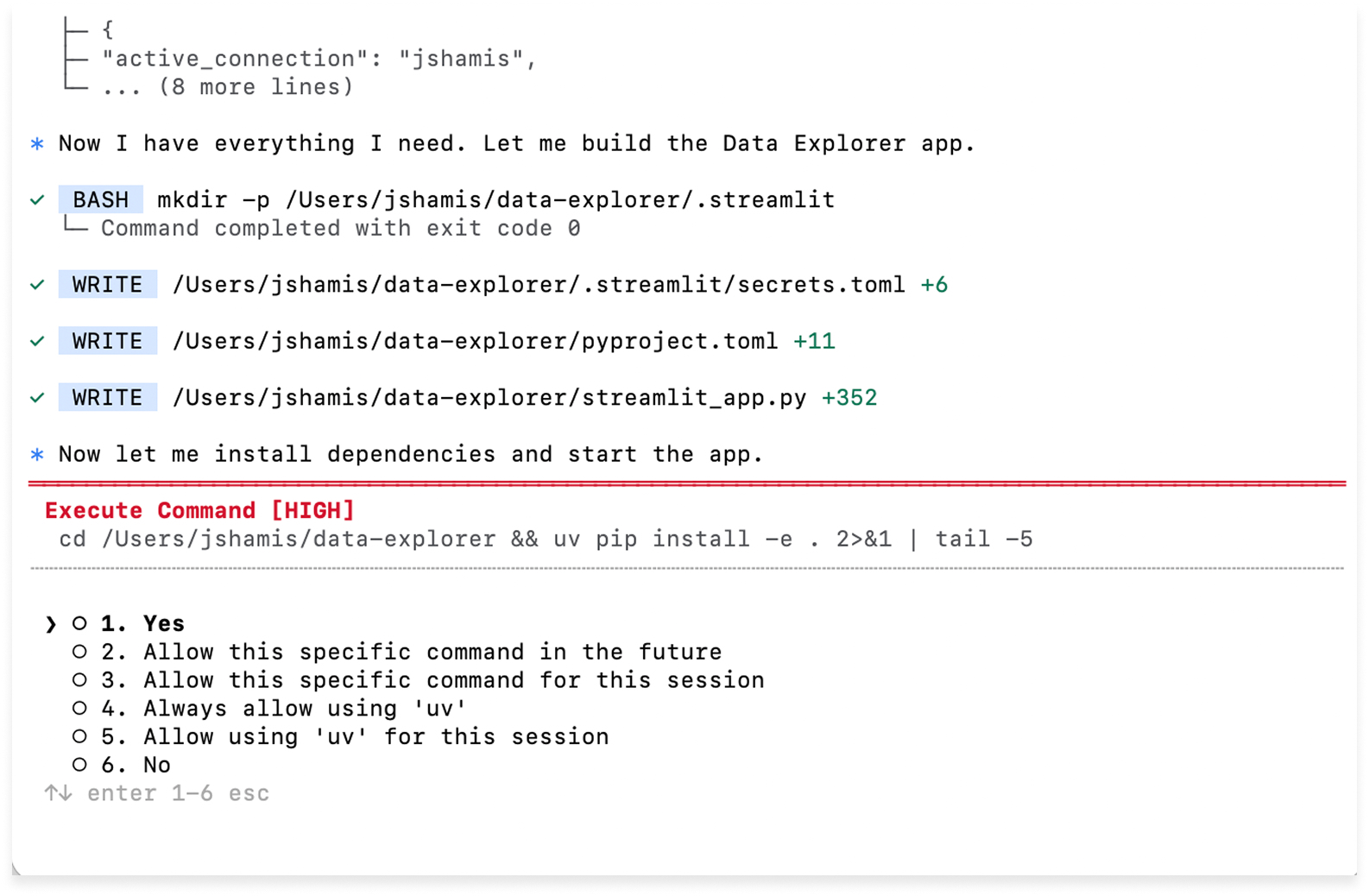
The system
How AI integrates into the developer workflow
Prompt → AI generates command → Review/Edit → Execute → Output → Iterate
Key Learnings + Impact
Impact
- Reduced friction integrating AI into workflows
- Increased usage of Cortex Code
- Faster iteration cycles
- More efficient debugging and querying
- Increased confidence in AI-assisted workflows
Key learnings
- AI needs guardrails
- Transparency builds trust
- Workflow integration > feature depth
- Developers prioritize control over speed
- Terminal constraints shape interaction patterns
AI is most effective when it integrates into existing workflows without breaking them.
To learn more go to Get started with Snowflake CoCo CLI